Practical guide · By Hajimete
How to turn a drawing into a 3D model
A sketch can become a starting point for a 3D model. The most useful workflow gives you a chance to correct the idea before asking AI to invent its volume and hidden sides.
Hajimete’s current website demonstrates AI-generated 3D characters. The finger-drawing workflow described here is the direction of our iOS app in development, not a publicly available drawing-upload feature.
1. Start with a readable silhouette
Draw one subject with enough space around it to see the outline. A simple creature, a small sculpture, or an imaginary plant is a more manageable first project than an entire room. Use a plain background and separate nearby parts so the shape is easier to interpret.
You don’t need a polished illustration. You do need to decide what matters: perhaps oversized ears, an uneven smile, or a leaf-shaped hat. Keep those features visible. An optional short description can explain something the image leaves ambiguous.
Keep an editable original as well as an exported image. When you adjust the idea later, you should be able to change your own strokes rather than paint over an AI-generated result.
2. Review a styled 2D concept
A concept stage lets you see how the drawing might look as clay, plush fabric, or painted artwork before generating a mesh. Compare it with the original. Check whether the silhouette, colors, expression, and distinctive features still feel like yours.
If the concept loses the detail you care about, correct it here. Asking for another 3D model before agreeing on the 2D design adds waiting and cost without resolving the underlying issue. Different providers charge differently, so review the price for each stage rather than assuming one payment covers unlimited attempts.
A 2D illustration of a sculpture is still an image. It can be a finished artwork in its own right, but it is not yet a model you can rotate or use in a 3D scene.
3. Generate the model and look at every side
Image-to-3D generation estimates the object’s shape from the reference. A single drawing cannot fully describe its back, underside, or depth, so those details have to be inferred. Additional consistent views can give the process more information, but they still need to agree with the approved design.
Rotate the result and inspect the back as carefully as the front. Look for joined limbs, unexpected holes, floating details, distorted faces, and texture seams. A result that looks convincing from one angle may need another pass or manual editing elsewhere.
4. Match the model to what you want to do
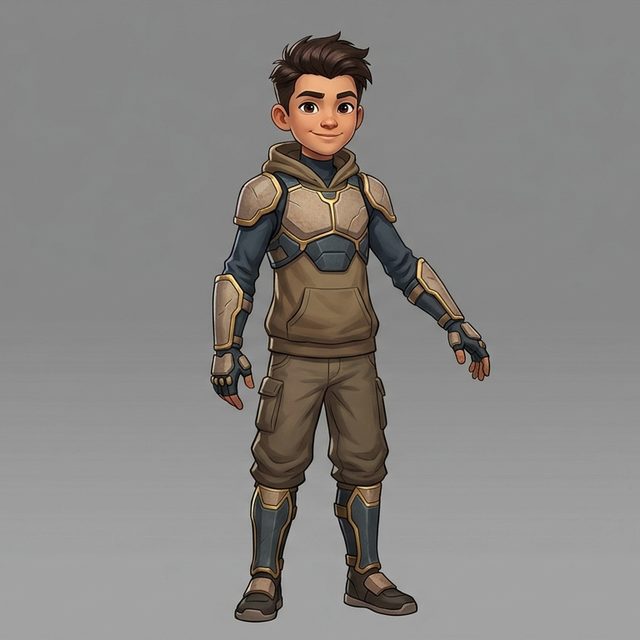
For a personal collection, a smooth preview and manageable download may be enough. A game asset needs more checks: geometry, materials, scale, animation, and compatibility with the intended engine. A generated character with a walking animation is not automatically ready for every game.
For 3D printing, check that the mesh forms a usable solid and that its proportions and thin parts suit the printing process. For Apple’s native 3D preview, a compatible format or conversion may be needed. Hajimete’s existing character pipeline produces GLB files; the native app’s model-viewing route is still being developed.
What if I only want the 2D artwork?
Stop at the concept if that is the result you like. The planned Hajimete app keeps 2D artwork and 3D conversion as separate choices. A successful creative session can end with a drawing, an illustration, or a model.
Keep the part that makes it yours
The goal is to preserve your intent through each step. Save the original, approve the interpretation, and inspect the final result. AI can add detail and make unexpected choices; you decide which of those choices belong in your artwork.
Explore the Hajimete iPhone and iPad preview, or see the existing 3D character demos.